
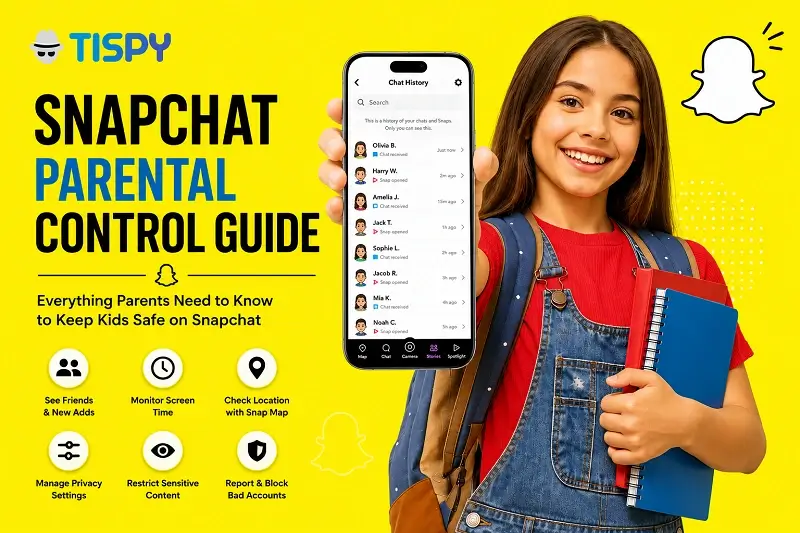
Yes, Snapchat does have parental controls, a free, official feature called Family Center that lets parents see who their teen is talking to, check screen time, and adjust safety settings without reading private messages. Snapchat’s speed and privacy are exactly what teenagers love and exactly what parents worry about: vanishing messages, unfamiliar new contacts, and a Snap Map that reveals real-time location. Recent updates have made Snapchat parental controls more useful than before, but Family Center still has real limits. This guide explains exactly what parents can see, how to set everything up, and where extra visibility may still be needed.
What Are Snapchat Parental Controls?
Snapchat’s built-in parental control system is called Family Center. It’s a free, in-app hub that gives parents visibility into their teen’s Snapchat activity without exposing the actual content of their conversations.
Suppose a 15-year-old suddenly starts chatting daily with several unfamiliar accounts. Once connected through Family Center, a parent can:
- See the teen’s current friend list and any newly added contacts
- View who the teen has messaged recently (though not what was said)
- Request live location sharing through Snap Map
- Restrict sensitive content in Stories and Spotlight
- Report a concerning account directly to Snapchat’s Trust & Safety team
- Check the teen’s average daily time on Snapchat over the past week, broken down by Chat, Camera, Stories, Spotlight, and Snap Map
- Review privacy and safety settings together
The trade-off: Family Center isn’t designed to show message content, saved photos, deleted chats, or passwords. It’s built for visibility and conversation-starting rather than full oversight, a deliberate design choice by Snapchat, not a gap in the app.
Still deciding whether the app itself is right for your child? Our guide on Is Snapchat Safe for My Kids? breaks down the platform’s core risks in more depth.
How Do You Set Up Snapchat Parental Controls?
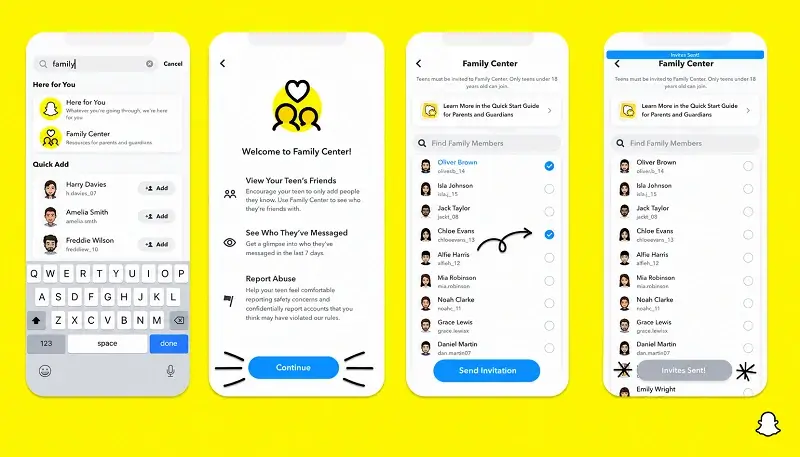
Setting up parental controls on Snapchat takes only a few minutes, but both parent and teen need active, updated accounts and the teen has to agree to connect. Family Center only works when both sides opt in, in line with the privacy laws that apply where you live.
Here’s how to set up parental controls on Snapchat, step by step:
- Update Snapchat. Family Center only works on the latest version on both devices.
- Open Family Center. Go to your Snapchat profile > Settings > Family Center.
- Send an invitation. Your teen must accept it before any monitoring begins. This only works for eligible teen accounts within Snapchat’s supported age range.
- Review Snapchat safety settings together. Check friend requests, story visibility, location sharing, sensitive content controls, and public profile visibility.
- Talk openly with your teen. If your child suddenly adds twenty new contacts after joining a gaming community, use Family Center as a conversation starter, not an accusation — ask where the friends came from and whether they’re known personally.
Adoption of these Snapchat safety settings still lags behind usage of the app itself. When Snapchat’s own CEO testified before US lawmakers in early 2024, he disclosed that against an estimated 20 million teen users in the country, only around 200,000 parents were actively using Family Center — a gap most families don’t realize exists until it’s pointed out.
Can Parents Monitor Snapchat?
Yes — but only to a limited extent. Snapchat intentionally protects private conversations, even from connected parents.
If a teen starts messaging an unknown account daily, Family Center will surface that new connection, but the chat itself stays private. What parents gain instead is a reliable signal: a reason to sit down and talk about who’s on the other end before a situation escalates. That’s the core trade-off of every official parental control system, not just Snapchat’s: visibility into patterns and connections, not a transcript of every conversation.
Can Parents View Snapchat Message History?
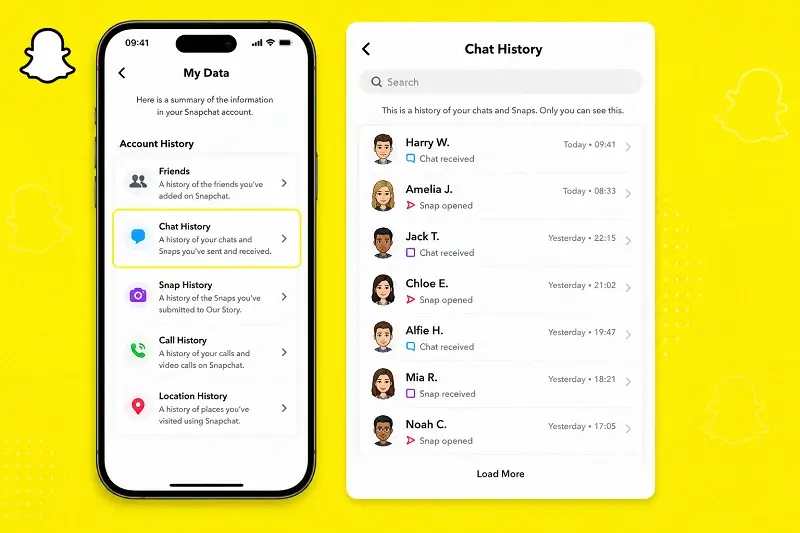
Is there a way to get Snapchat message history? Snapchat is built around disappearing messages, so the honest answer is “rarely, and not through Snapchat itself.” Snaps and chats are typically deleted automatically after they’re viewed, or after 24 hours, depending on the sender’s chat settings. If neither person saved the content, it’s generally gone for good.
Some content may persist temporarily in a device’s memories or local storage if the teen chose to save it, but there’s no official Snapchat parental control feature that retrieves deleted conversations after the fact.
For a closer look at what’s realistically recoverable and what isn’t, see our detailed guide: How to Check Snapchat Conversation History.
Additional Ways to Keep Kids Safe on Snapchat
- Encourage your teen to accept friend requests only from people they know in real life.
- Revisit privacy settings together every few months, and especially after app updates.
- Teach them never to share live location, school details, passwords, or financial information publicly.
- Guide them to block and report a stranger immediately rather than responding.
Snapchat isn’t the only app worth understanding — see our guide on How to Prevent Your Kid From Dangerous Social Media Apps for a broader safety framework.
How TiSPY Helps Parents Stay Informed
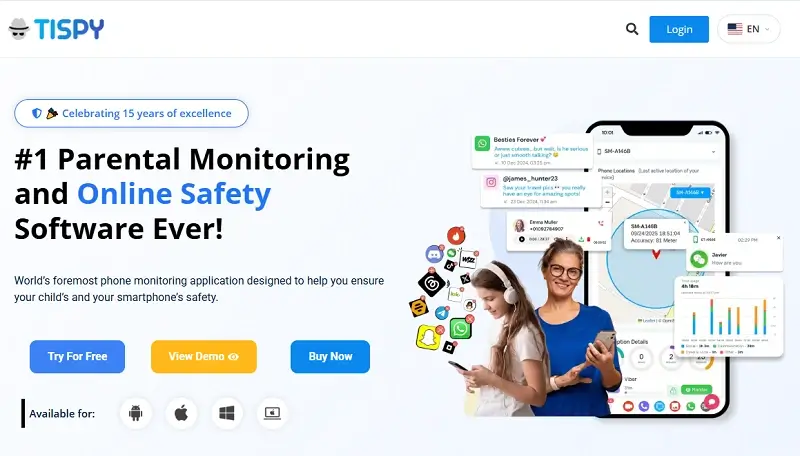
Snapchat’s Family Center is a genuinely useful starting point, but its privacy-first design leaves real gaps: no message content, no deleted-chat recovery, and monitoring that stops the moment a teen removes the connection.
This is where a dedicated parental monitoring solution like TiSPY can complement Snapchat’s own safety tools, rather than replace them. TiSPY’s Snapchat tracker gives parents broader visibility into Snapchat activity on a monitored device through one dashboard, so they’re not relying solely on what Snapchat chooses to surface.
Beyond Snapchat, TiSPY supports responsible monitoring across many of the apps teens actually use, helps parents spot unusual digital activity patterns early, and provides location insights for extra peace of mind — all summarized in a single, easy-to-read dashboard instead of scattered across a dozen apps.
Used responsibly and transparently, this kind of visibility isn’t about replacing trust — it’s about giving parents the context to have informed conversations before small risks become bigger problems. As with any parental monitoring tool, TiSPY is designed for parents or legal guardians to use with their own minor children, in accordance with the laws that apply in your country.
Key Takeaways
Snapchat’s Family Center gives parents real, useful visibility — friend lists, screen time, location requests, and safety settings — without exposing private messages. That’s by design, not a flaw. Combining Snapchat’s built-in parental controls with open conversation and, where needed, a broader monitoring solution like TiSPY gives families a more complete picture of their teen’s digital life.