

You glance at your child’s phone, bright, still lit, at 11 p.m., and think, “How long has that actually been on tonight?“
Most parents guess, only few can answer it precisely. Understanding screen time for teens starts with knowing how much time they actually spend on their phones and apps.
That gap is where an app usage report earns its keep and where quiet, cumulative damage happens unnoticed until it’s already a pattern.
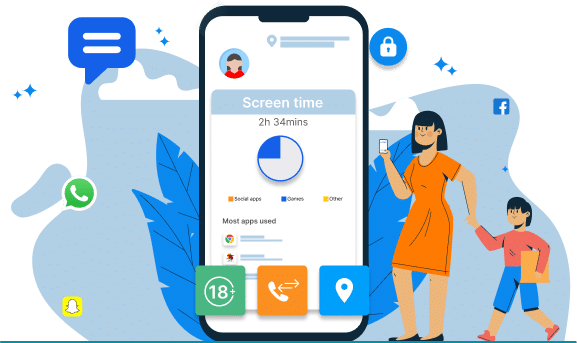
How Much Time You Spend on Apps: Why the Number Surprises Everyone
Most people underestimate their own daily total by 30 to 60 minutes. That’s due to scattered five-minute checks that don’t feel like an hour. Added up, they’re often the biggest time block in a household after sleep and work.
For a child or teen, this matters more. Their brains are still building executive-function skills. They are learning – planning, impulse control, task-switching etc. For these and more, adults rely on self-regulation. A detailed report replaces guesswork with a clean, per-app timeline: what was opened, for how long, at what hour.
Once you know how to check how much time is spent on apps by your kid on every device in the house, the guessing stops.
Is 5 Hours of Screen Time Bad?
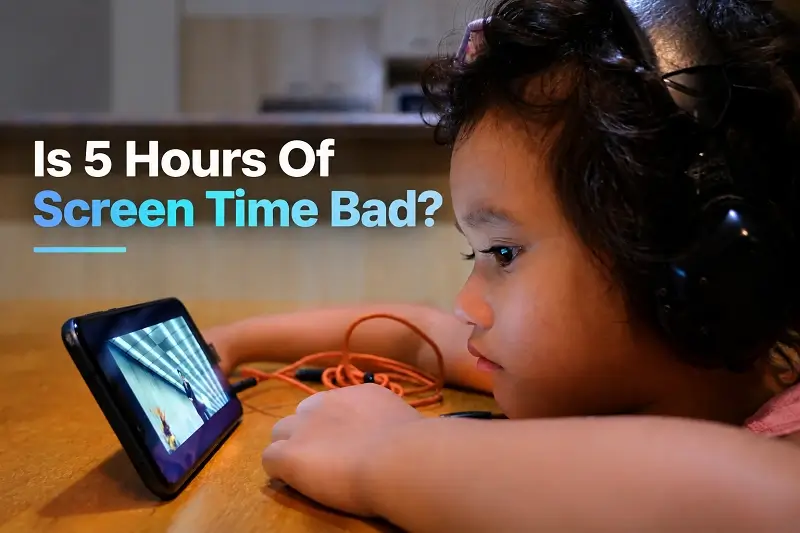
The actual answers depend on what those five hours contain. A systematic review of children’s attention research found each additional hour of recreational screen time linked to measurably lower attention scores, while educational or interactive use showed a much smaller effect.
So is 5 hours of screen time bad? Passive scrolling for five hours is very different from time split between a learning app, a call with grandparents and twenty minutes of a game.
What moves the needle most is timing and now the total minutes alone. A 2025 scoping review of dozens of studies found screen use near bedtime linked to shorter sleep, longer time to fall asleep and more fragmented sleep overnight. And this comes via social media and gaming time carrying the highest risk.
This is what an app usage report captures that a daily total misses: when all did you use it and for how many times.
How Technology Affects Child Development
None of this is about eliminating screens; that’s neither realistic nor necessary. It’s about how to limit your child’s screen time in a way that’s specific and fair. Understanding how technology affects child development is important, particularly when screen use becomes a regular part of a teen’s daily routine. It can shape attention, concentration, sleep, communication and social interaction.
- Influences sleep quality and routines
- Affects physical activity and movement
- Changes communication and social interaction
- Supports learning and creative exploration
- Can encourage problem-solving and curiosity
- Influences emotional regulation and behavior
- Excessive use may reduce family interaction
Thus, managing teen smartphone addiction needs a different tone than younger kids.
The Sleep Connection Nobody Budgets For
Many mothers worry most when screens quietly push bedtime later. WHO (World Health Organisation) recommends quality sleep within daily routines.
- For children aged 3–4: WHO recommends 10–13 hours of sleep. Plus, no more than one hour of sedentary screen time daily.
- For ages 5–17: WHO advises limiting sedentary behavior, especially recreational screen time.
So, one number cannot tell everything. The real worry is what screens replace – quality family time that is great for mental health. That makes time-stamped app reports useful. They show when usage rises.
Late-night patterns show parents where to act. Instead of arguing, mothers can discuss sleep. They can set calmer bedtime boundaries. Then they can review the results.
How To Check How Much Time Your Child Spend On Apps
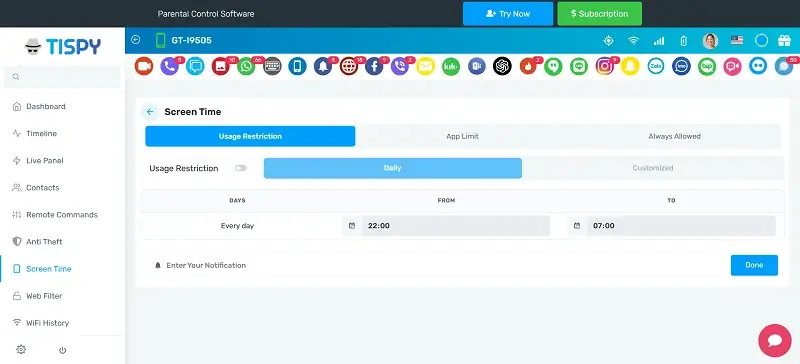
Many parents often ask TiSPY, “What to do when your child is addicted to electronics?”
- A capable screen time tracker in Android and iOS devicesetup should show the same depth of detail, per-app breakdowns, weekly trends and time-of-day patterns. This is regardless of which device is in your child’s hand.
- You also need a complete picture layer in an internet and browsing time tracker to separate web use from app use.
- Plus, also have a dedicated gameplay time tracker, as gaming sessions behave differently from social scrolling and deserve their own boundaries.
What are the steps to follow after installing the app for tracking screen time:
- Check daily usage reports first
- Identify apps consuming the most time
- Set clear daily usage limits
- Protect bedtime from device use
- Schedule regular device-free family time
- Reduce unnecessary notifications and distractions
- Review progress and adjust limits
- Keep rules consistent across weekdays
- Explain boundaries without creating conflict
- Lead children through healthy habits
A screen time tracker turns this from a guessing game into a weekly check-in with real numbers behind it. So, this is like a budget makes overspending visible instead of just felt. The right app for tracking screen time like from TiSPY, also flags which apps are driving the trend.
Where to Start & How to Limit Child’s Screen Time
Pick the right parental monitoring software that works across every phone in your house, look at the numbers together with your kid, and adjust from there. That’s really all it takes to turn a guessing game into a plan. Connect with us if you still have more questions.