
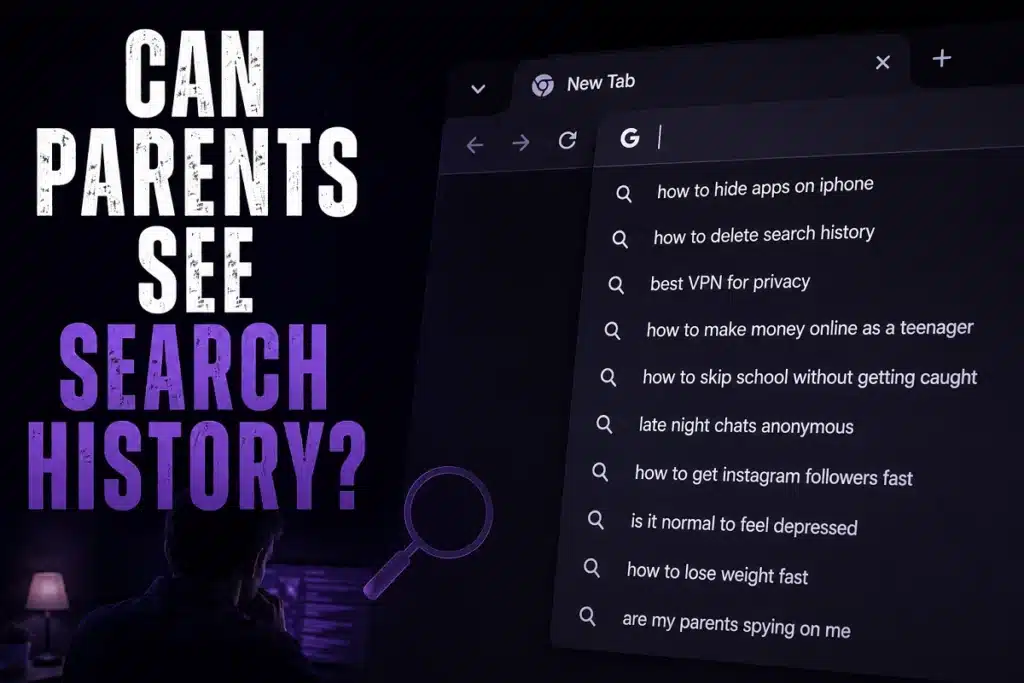
Parents often assume mobile data automatically creates privacy. Kids often assume the same. Both are usually surprised when they discover that internet activity leaves traces in more places than expected.
So does monitoring actually exist? The bigger question is whether families understand how digital footprints actually work.
Today, billions of people use smartphones daily. And younger internet users are becoming connected earlier than ever before. According to UNICEF,
more than 175,000 children go online for the first time every day. This has been creating new opportunities alongside new digital risks.
So today we are here to share what parents can actually see, what they cannot see, where browsing data hides and how monitoring solutions like TiSPY create better visibility without relying on guesstimates!
Who Should Read This TiSPY Guide?
- Parents concerned about online safety
- Families trying to understand browser privacy
- People confused about deleted searches
- Users struggling with private browsing visibility
- Parents considering how to Block Private Browsing for the safety of Your Children
Why Search History Is More Complicated Than Most People Think
Can parents see search history? is not a simple yes-or-no question. Using mobile data simply changes the internet connection source. Browsers, search engines, synced accounts, applications, cloud backups, device storage and monitoring software may still retain activity records. They do not remove your personal info in totality.
So the answer actually depends on various factors like…
- Device configuration
- Browser type
- Sync settings
- Monitoring applications
- Shared accounts
- Cloud backup systems
- Existing parental controls
A study involving hundreds of participants discovered widespread misconceptions regarding browsing privacy protections and history visibility. This misunderstanding creates blind spots.
Search records may exist inside:
- Browser history
- Search engine activity logs
- Synced cloud accounts
- App-based search systems
- Predictive suggestions
- Downloads
- Cache files
- Monitoring software
Common Mistakes Parents Make While They Check Search Activity

Many parents search for methods to check iPhone Safari history when trying to understand activity across devices.
Others want to learn how to check history in the iPhone. But then the following mistakes create delayed responses:
- Checking only browser history
- Assuming private browsing removes everything
- Ignoring account synchronization
- Looking only after problems appear
- Relying entirely on manual checks
Manual reviews may reveal only – visited websites, search queries and open tabs. They can also show recent browsing sessions and even frequently visited pages. However, manual checking creates gaps.
How Parents Can Keep A Check on Browsing Data
- Browser History – Open browser settings and view stored browsing activity.
- Account Activity – Check synchronized search accounts connected across devices.
- Screen Usage Reports – Many operating systems provide app activity summaries.
- Monitoring Platforms – Specialized tools offer centralized visibility instead of isolated history checks.
We are now sharing finer steps in detail
A) How to Check Safari History on iPhone
If your teen uses Safari, follow these steps:
- Open Safari.
- Tap the Bookmarks icon.
- Select the History tab.
- Scroll through recently visited websites.
- Use the search bar to find specific sites if available.
Limitations
- Private browsing sessions do not appear in Safari history.
- Deleted entries cannot be viewed here.
- History may sync across devices only if the same account is connected.
B) How to Check History on iPhone Across Browsers and Accounts
Different browsers store history separately.
- Chrome – Open Chrome → Tap the three-dot menu → History.
- Firefox – Open Firefox → Menu → History.
- Account Activity – If browser syncing is enabled, activity may also be stored in connected accounts and synced across devices. Some browsing records can remain in account activity logs even when local history is removed.
Limitations
- You need access to the browser or account.
- Sync settings vary. Some activity may not be stored if syncing is disabled.
C) How to Check Incognito History
Many parents assume Incognito or private browsing leaves no trace. In reality, it mainly prevents local history from being saved in the browser.
- Open tabs that were never closed.
- Device-level monitoring tools.
- Router or network logs in some situations.
- Account activity if searches were performed while signed in.
Limitations
Incognito history is not stored in the browser’s normal history list. Private Browsing tabs in Safari are specifically designed not to appear in the browsing history.
D) How to See Deleted Search History
Recovering deleted history is difficult but sometimes possible.
Possible Sources
- Synced browser accounts.
- Search engine activity records.
- Other connected devices that have not synced yet.
- Backup systems or cloud activity logs.
Limitations
- Recovery is not guaranteed.
- Deleted browser history is often permanently removed.
- Some providers keep limited records for operational purposes.
The Critical Digital Risks

According to UNICEF data, approximately 82% of individuals aged 15–24 are internet users globally, making younger populations among the most connected groups worldwide.
Questions like how to check incognito history appear because many people assume private browsing means complete invisibility.
Private browsing usually does NOT automatically prevent the following:
- Search engine logging
- Account activity recording
- Monitoring applications
- Download records
- Screenshots
- Synced account storage
- Existing device tracking
How TiSPY’s Monitoring Software Solves the Security Problem
Families asking if parents can see search history often want something deeper. They want consistency. And TiSPY like top monitoring platforms provide:
- Centralized visibility
- Continuous monitoring
- Pattern recognition
- Faster detection of risky behavior
- Reduced manual checking
The Key Benefits:
- Instead of repeatedly trying to check iPhone Safari history, parents gain ongoing visibility.
- Rather than constantly wanting to check history on the iPhone, they gain centralized monitoring.
Advantages of TiSPY Web History Tracker
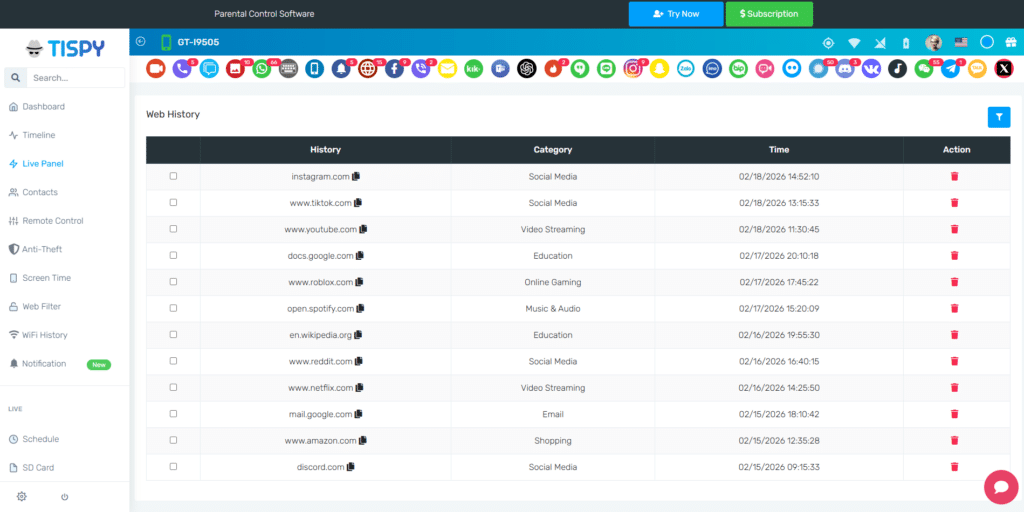
TiSPY’s browsing history tracker is designed for families needing visibility across changing digital habits. Rather than depending on manual inspection or finding ways of how to check incognito history, parents can also view the times of visited websites to better understand browsing patterns and identify unusual online activity.
Main benefits include:
- Continuous browsing visibility
- Better monitoring consistency
- Reduced dependence on manual checks
- Improved awareness of digital habits
- Faster identification of concerning patterns
You must remember that your hunt to see deleted search history often showcases that the real challenge is not recovering isolated records. The challenge is maintaining ongoing visibility. And for that you can also must read our guide towards How to Block, Track & Monitor Kids Smartphones.
Install Smart History Tracking Now
Connectivity creates opportunities, as well as grave security threats and related complexity. If you still continue asking, “Can parents see search history?” the better question may be – “Are you relying on occasional checks or using tools designed for continuous visibility?”
The difference between those approaches often determines whether problems are identified early or only after they become harder to manage.
Connect today to know more.