
Call Tracker App
The social life of today’s kids lives inside their pockets.
Track each call, recording, incoming and outgoing history, contact details, call duration and more through TiSPY’s call tracker app.
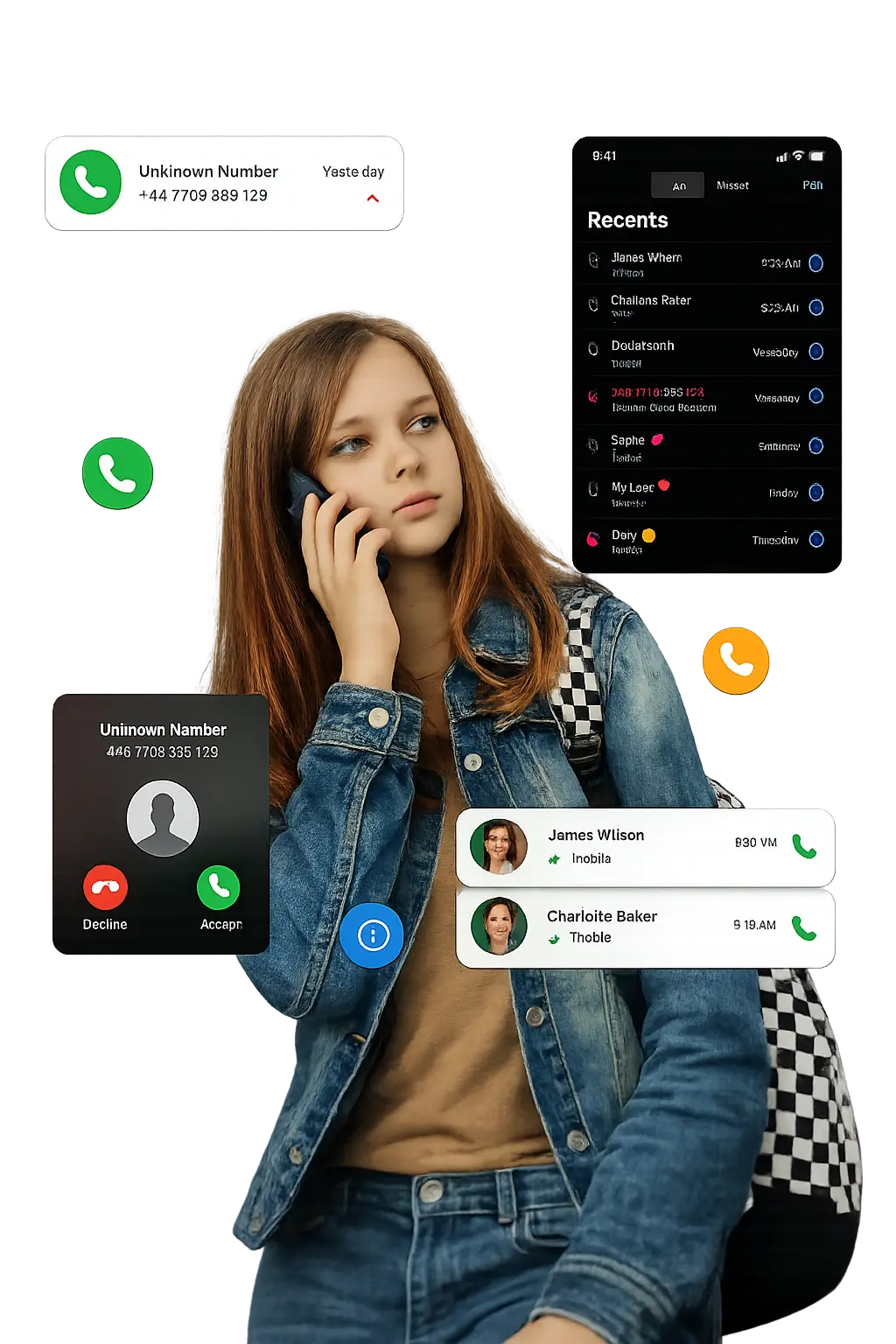
Spot Concerning Call Activity Early
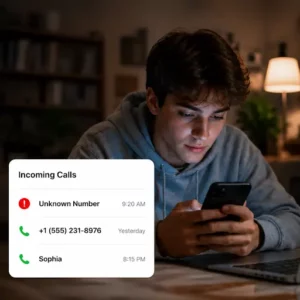
Track Unknown Callers
Use TiSPY’s live call tracker to identify unknown callers and review incoming call logs before problems grow.
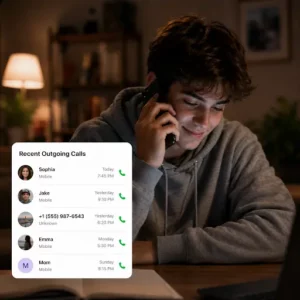
View Child's Call Activity
TiSPY call history tracker shows outgoing calls, timestamps and contacts so parents can spot unfamiliar numbers.
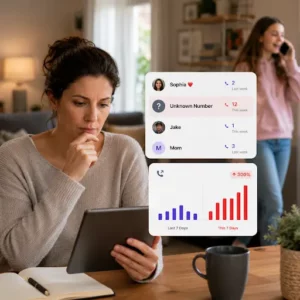
Detect Suspicious Calls
TiSPY call log tracker reveals changing call patterns, helping parents respond early with confidence and care.
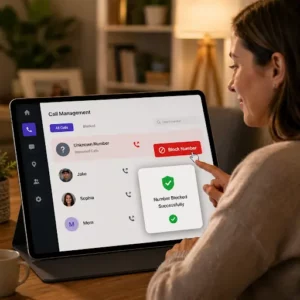
Block Repeat Spam Callers
Block unwanted numbers instantly from the TiSPY dashboard to protect your child from repeated unwanted calls.
TiSPY Call Tracking Features
1. View Full Incoming and Outgoing Call History
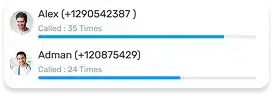
Parents can review all incoming and outgoing calls from a single dashboard. The call history tracker displays contact names, numbers, call direction and frequency. This helps you understand your child’s communication habits and identify anyone unfamiliar appearing repeatedly in their call list.
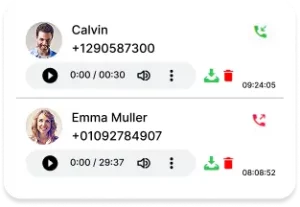
2. Check Timestamps and Call Duration
Every call log includes the exact date, time, and duration of each conversation. Parents can filter records by date range using this call history tracker online, making it easy to review specific windows of activity without sifting through weeks of data.
3. Access Your Child's Saved Contact List
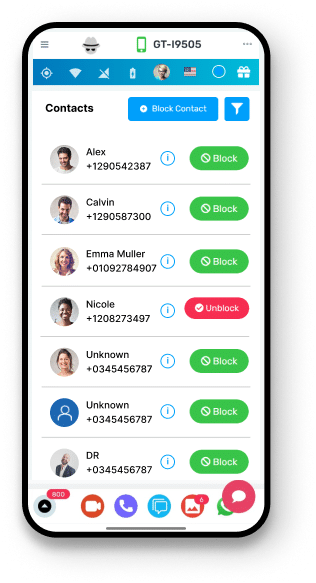
With this call tracker, parents are able to check the list of contacts saved by your kid on their mobile device. It will help you to identify any unknown names, verify relationships and track the sender’s details to better understand who your child communicates with regularly.
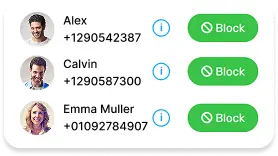
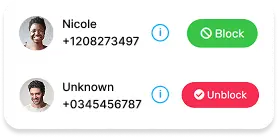
4. Block Calls from Unwanted Numbers
If there’s an unwanted number that always pops up in your child’s call logs, you can block it immediately from the TiSPY dashboard. The built-in contact blocking feature puts protective action in your hands, allowing you to respond quickly without requiring technical steps on the child’s device.
5. Download and Store Call Records
TiSPY allows parents to download call logs and recordings for offline review. This is valuable when you need to keep a record of concerning interactions or review call activity during a period when dashboard access was limited.

How Call Tracker App Keeps Your Child Safe
TiSPY call tracking app helps parents actively protect their children from spam, fraud, and unknown callers. With increasing scam calls, children are more vulnerable to manipulation. Using a live call tracker, parents can monitor call activity, identify risky numbers and take immediate action when required.
1. Save a Child from Spam Calls
Children are frequently targeted by spam and fraud calls. With TiSPY’s online call tracker, parents can monitor incoming calls, identify suspicious numbers and block them instantly. This reduces exposure to harmful interactions and ensures a safer calling environment.
2. Aware Kids about the Type of Spam Calls
TiSPY call tracker app helps parents understand call patterns and guide their children about unsafe calls. By reviewing call history and activity, parents can explain real risks and help children make safer decisions while using their phone.
3. Keep Track of Your Kid’s Call Conversations
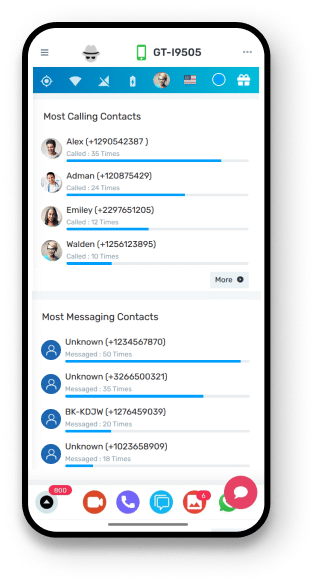
Parents can use TiSPY call history tracker to see who is contacting their child frequently. This visibility helps detect unusual communication patterns early and allows parents to take action before any issue grows.
TiSPY Call Tracking Features
TiSPY is a powerful parental control solution designed for parents who want a reliable call tracker app with complete visibility. It allows users to check call logs, monitor call activity and manage contacts through a simple dashboard. With features like call log tracking, call recording and number blocking, parents can take full control of their child’s phone usage.
1.Track Incoming Calls
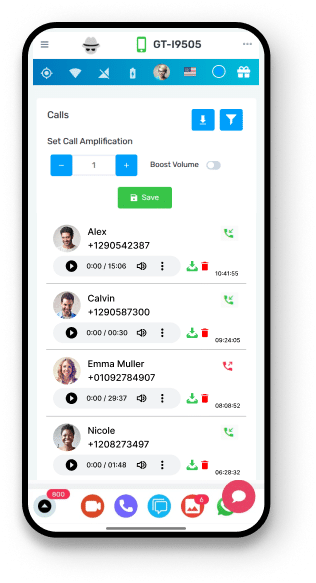
With TiSPY incoming call tracker, parents can monitor all incoming calls and check call history anytime. This helps them understand who is contacting their child and identify any unusual activity quickly.
2. View Whom They Called
Using this call details tracker, parents can see outgoing call activity and understand who their child is communicating with. This ensures better awareness and control over daily phone usage.
3. Detailed Timestamp and Duration
TiSPY provides detailed call logs with timestamps and duration. This call log tracker helps parents analyze call patterns and identify long or frequent conversations that may need attention.
4. Block Calls from Unwanted Numbers
With built-in blocking features, this call tracker app allows parents to stop unwanted calls instantly. Parents can take action directly from the dashboard and prevent repeated spam calls.
5. Call Records with Date and Time Filters
TiSPY call history tracker online allows users to filter call records by date and time. This makes it easier to review specific activities and check past call interactions without confusion.
6. View Contact List
Parents can access the saved contacts using this phone call tracker, helping them understand who is in their child’s contact list and identify unknown numbers.
7. Download the Call Recordings
TiSPY enables users to download call logs and recordings of a target phone. This feature allows parents to store important data and review conversations when needed.
How to Install TiSPY Call Tracker?
– Android
To download the TiSPY’s Call Tracker, your Android device must run OS 4.4 or higher. Follow these steps to install it, or you can also check this Android install guide for the same.
- Open the “Play Store” application on your Android phone.
- Go to Menu.
- Off the “Play Protect”.
- Disable “Scan device for security threats”.
- Disable “Anti-Virus”.
- Disable “Scan before Installing” in the security section.
– iOS
Here are the steps to install the TiSPY Call Tracker App on an iOS device. You can also check this iOS install guide for the same.
1. Log in or sign up to your TiSPY account.
2. Connect the laptop to the iOS device with the help of cable.
3. Then add a device.
4. Select a specific target device to monitor.
There's More You Can Monitor
TiSPY gives you complete parental control. Here are the top monitoring features our users love the most.


Snapchat

Telegram


Call

GPS Location

Photos

Tiktok

App Activity
Snapchat
Telegram
Call
GPS Location
Photos
Tiktok
App Activity
Trusted Worldwide by Thousands of Families
Trusted World-wide by thousands of Families and parents
Over 100K satisfied users say about us
TiSPY’s call tracker app installs on your child’s Android device and logs all incoming and outgoing call activity. Data syncs to your secure dashboard where you can review call history, check timestamps, view contact names and filter records by date. No rooting or jailbreaking is required, and installation takes only 2 minutes.
Yes. Installing monitoring software on a device you do not own or manage is not authorized. TiSPY supports responsible and legal use by parents looking to stay informed about their child’s digital activity.
TiSPY takes data security seriously. All call log data is stored securely and accessible only through your private account. TiSPY does not share your family’s information with third parties. You can contact the support team at any time if you have questions about how your data is managed.
No, the device must be powered on and connected to the internet. Once it reconnects, the data will sync automatically to your dashboard. For additional security, TiSPY can also provide an alert on SIM change if the monitored device’s SIM card is replaced.
Storage depends on your subscription plan. You can also download recordings and store them offline for future use.
Check if the device is online and the app is properly installed. If the issue continues, contact TiSPY support for assistance.
Yes, TiSPY supports monitoring multiple devices depending on your subscription plan. You can manage all connected devices from a single account. Parents can also receive a daily email alert with a summary to stay updated on call activity across monitored devices.